Ever wanted an Apple PC? Ever wondered how it feels to use a Macintosh OS? This week, I'll give you tips on cooking up a bombshell cocktail to design your own Apple PC. Let's get to work because we have a long road ahead before getting that supercomputer up and running.
Why do I have to make the PC?
The cost of an official Apple PC is so astronomical that putting the pieces together is better option than budget-busting buys. Instead of maxing your credit card on a Mac G4 for about 60 Manleys, these investor smarts will save you $25,000.This is just a cheaper way out for curious or cash-strapped persons like yours truly.
What I need to get started
First, you need lots of patience and time on your hands. Don't start this project if you don't have these two luxuries. All we need next is our parts list. The parts for building an Apple PC are specific and cannot be substituted!
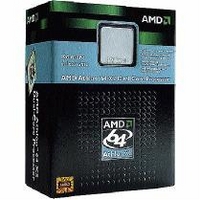
There are two ways to go about this: with an AMD processor or an Intel processor. Obviously, my pick is the AMD, which brings less pressure to bear on my pocket.
I got the stuff, now what?
Well, we just connect the pieces together and pray. There is always a small possibility that the computer might explode in your face. LOL. But luckily for us, we laugh in the face of danger. (Take a deep breath ... I don't want to die today). After fitting the pieces together, jump on the Internet and search for a patch for the Macintosh OS Disc you bought. A word to the wise: www.google.com is your one-stop destination for all you need.
After obtaining the patch, everything else is pretty much self-explanatory. Just follow the instructions given with the patch and you're home free. There is one thing you should take into consideration: If you're planning on using both Microsoft Windows OS and Macintosh OS on the same PC, it's best you first load on the Microsoft Windows OS, and then the Macintosh OS to avoid complication.
Conclusion
All this is a lot of work but the pay-off and performance you get afterwards is priceless.
Email feedback to saturdaylife@gleanerjm.com. Products mentioned in this article were provided courtesy of Royale Computers and Accessories; telephone#: 906-1067, 906-1068, 754-5048.
Here are the tools for our mad-science creation:
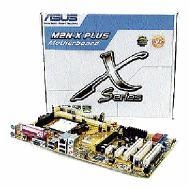
1 Asus M2N-X plus motherboard.
1 PC case (choose according to preference).
1 AMD Athlon X2 5600 2.9GHz (or any other higher-clock speed Dual Core AMD processors.
1 IDE (Integrated Drive Electronics) CD/DVD burner.
2.2-gigabyte) DDR2 (double-data-rate) memory sticks.
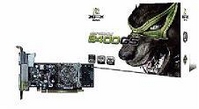
1 Nvida GForce 8400GS graphics card.
1 SATA (Serial Advanced Technology Attachment) Hard Drive (I recommend from 80 GB upwards).
1 Encore ENLGA 1320 network adaptor.
1 SLI power supply.
1 Macintosh Operating System Disc Leopard (I only got it to work on version 10.4).